 NotiRewind
Missed a notification?
See it again.
Windows notifications disappear in seconds. NotiRewind saves them and shows them on a timeline.
Get it from Microsoft StoreFree 7-day trial
What it does
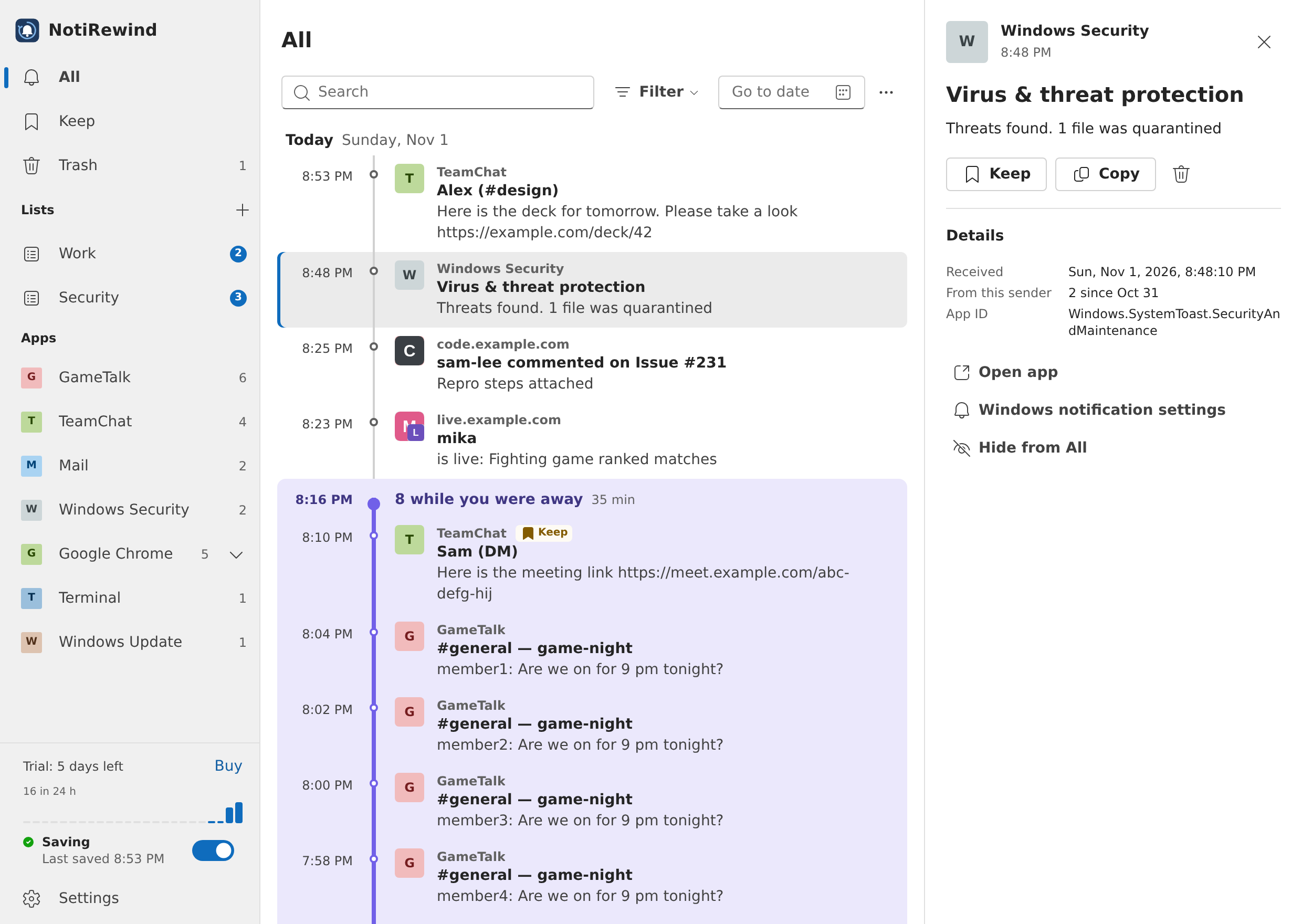
What came in
while you were away
Notifications that arrive while you're away or using a full-screen app are grouped together in your history. When you're back, NotiRewind tells you how many came in.
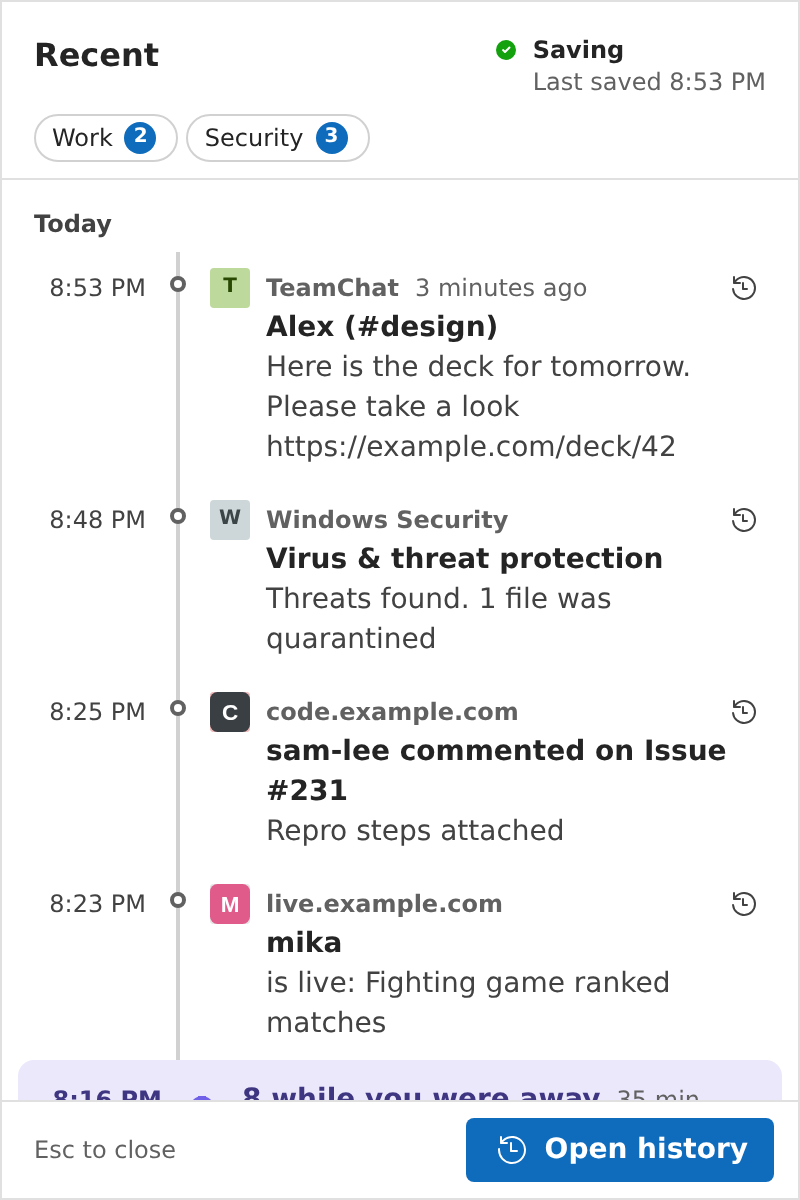
Catch the one
that just vanished
Press Ctrl+Alt+N or click the tray icon to read your recent notifications in full.
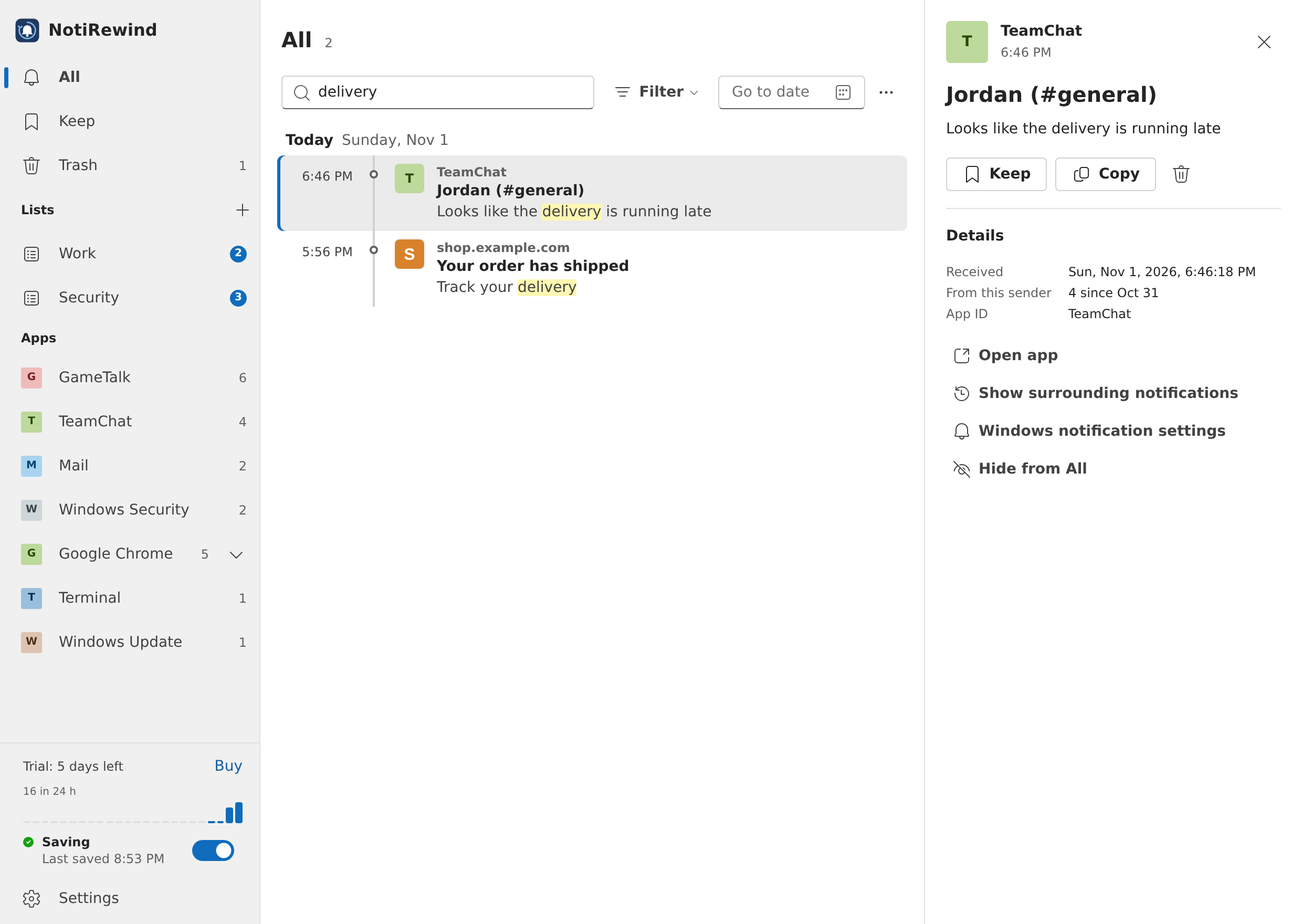
Search notifications
you dismissed
Dismissing a notification in Windows doesn't remove it from your history. Search by app name, title or text.
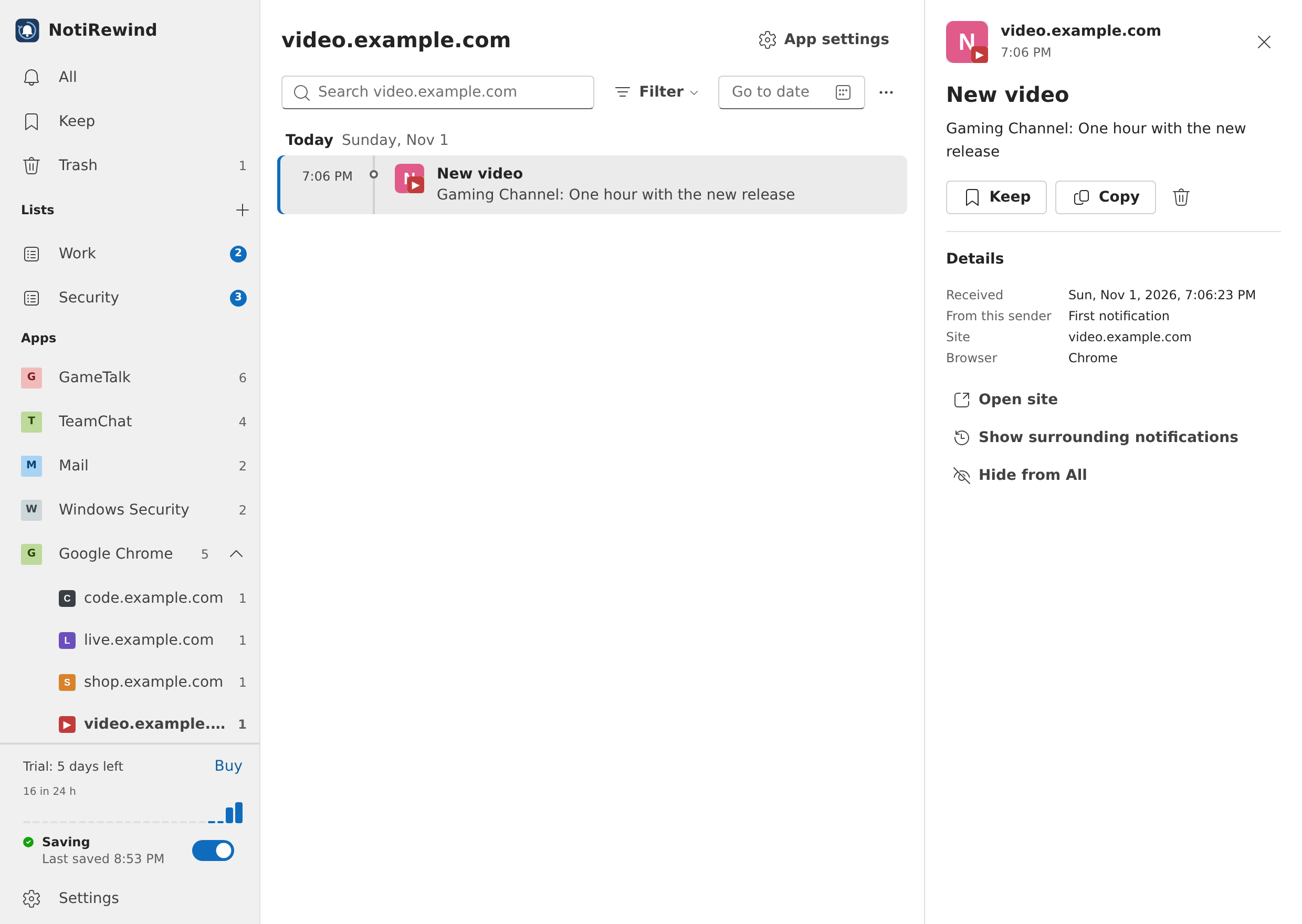
Browser notifications,
sorted by site
Notifications from Chrome and Edge are listed by site. Open the site from a notification.
- No account needed
- Your notifications stay on your PC
- Windows 10 and 11
- $5.89, one-time purchase
Questions
- Can I see notifications from before I installed it?
- It saves the notifications Windows still has when you install it. Ones already gone can't be recovered.
- What about notifications while the app isn't running?
- When you start it again, it saves the notifications Windows still has. Anything that disappeared in between is lost. Your history marks when the app wasn't running, so you can see the gap.
- What happens when the free trial ends?
- NotiRewind stops saving new notifications. Everything saved before that stays in your history.
- Can I delete saved notifications?
- Yes, one at a time or several at once. Deleted notifications stay in the trash for 30 days, so you can restore them. You can also set how long notifications are kept.
- Which versions of Windows does it support?
- Windows 10 (version 2004 or later) and Windows 11.
Try it free for 7 days
After that, keep it for $5.89. No subscription.
Get it from Microsoft StoreHelp with notifications
- Where is notification history in Windows 11? How to see notifications that disappearedHow to find Windows 11 notifications that vanished, the four reasons notifications leave the notification center, whether cleared notifications can be restored, and how to keep a history.
- How to see Windows notifications you missed while away or gamingWhere notifications go while you're away, playing a game, using a full-screen app, or in do not disturb or Focus, and how to check them later in Windows 11.
- Windows 11 notifications disappear too fast? Make them stay longerThe Windows 11 and Windows 10 settings that keep notification banners on screen longer, and how that differs from how long notifications stay in the notification center.
- How to see and stop Chrome and Edge website notifications on WindowsHow to check website notifications from Chrome or Edge after they disappear on Windows, how to block notifications from sites you don't know, and how they reach the Windows notification center.
- Windows plays a notification sound but nothing shows? How to find the appWhat to check when Windows 11 plays a notification sound but nothing appears on screen, how to find which app it came from, and the banner and sound settings to review.
- What was that Windows notification? Find who sent it and whether it's safeHow to find out which app sent a Windows 11 notification that vanished before you read it, and how to tell Windows Security alerts and update notices from fake "virus" notifications sent by websites.
- Missed the Windows Update restart notification? Check for a pending restartWhat to do when the Windows 11 update restart notification disappeared. How to check for updates waiting on a restart, schedule the restart, set active hours, get notified sooner, and pause updates.